Blue Team Labs Online - Take a LAP

The Track and Field Company has recently implemented a new program to help with their password rotation.
Digital Forensics
Tags: FTK Imager AD Explorer
Scenario The Track and Field Company has recently implemented a new program to help with their password rotation. One of the administrators is disgruntled that he was not chosen to help with this responsibility, and has been looking at information he should not have access to. Can you do some forensics work to gather information on the current employees, the company's security policies, as well as the actions of this unhappy admin?
Environment Awareness
Evidence & Tools Discovery
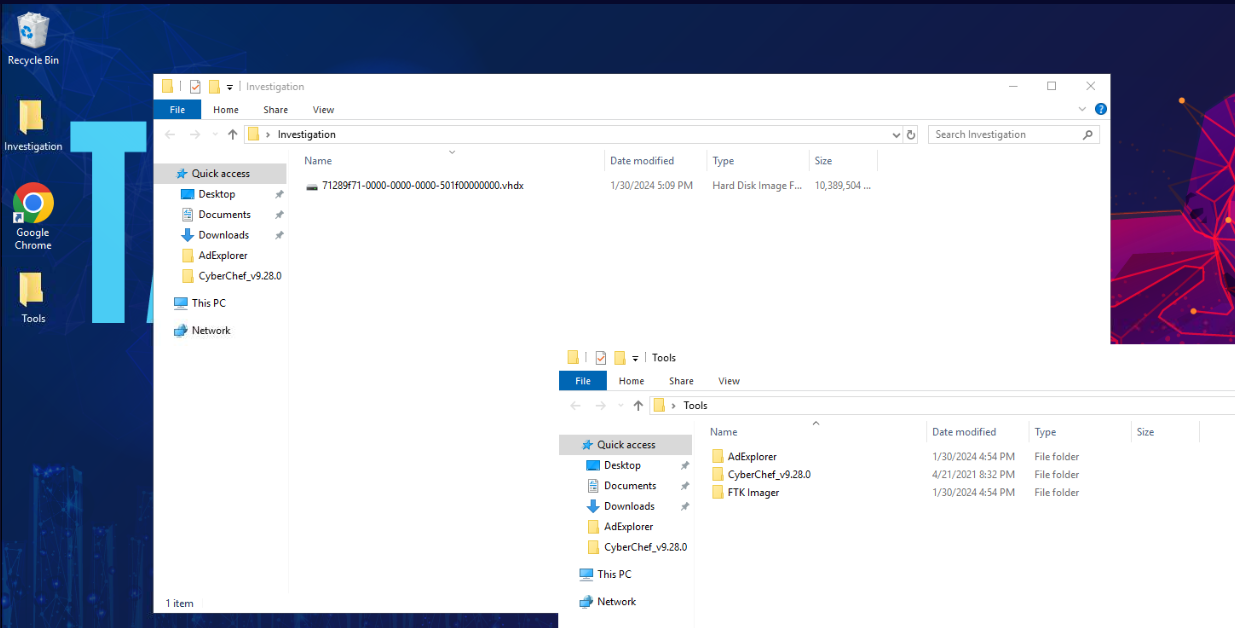
We only have 1 disk images and 3 tools provided so we have to open this image file with FTK Imager then try to find AD snapshot to open in AD Explorer.
Scenario telling us that one of the administrators is disgruntled so we could expect AD snapshot (.dat) from one of user.
Investigation Submission
Q1) What is the hostname of the machine? (Format: String)
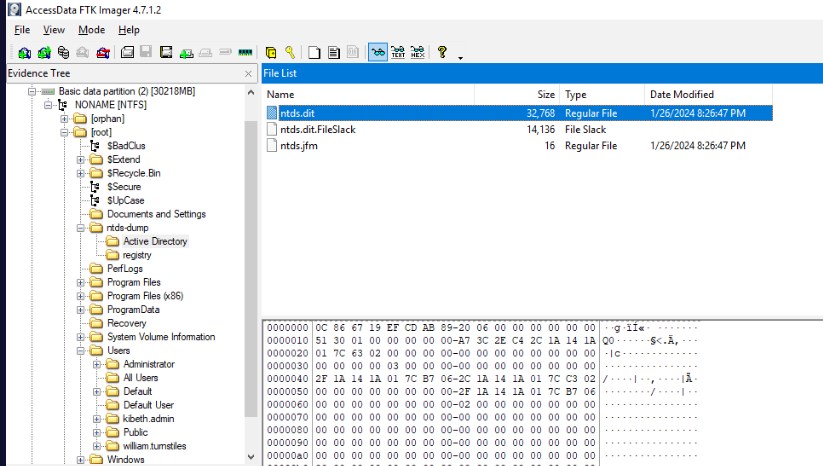
First thing I noticed is ntds-dump folder, which suddenly raise the red flag right here but we did not have a tool nor any objective to export them but its still a bad practice to leave ntds dump like that since any one could dump all credentials store in ntds.dit and use pass-the-hash attack to access machine within AD.
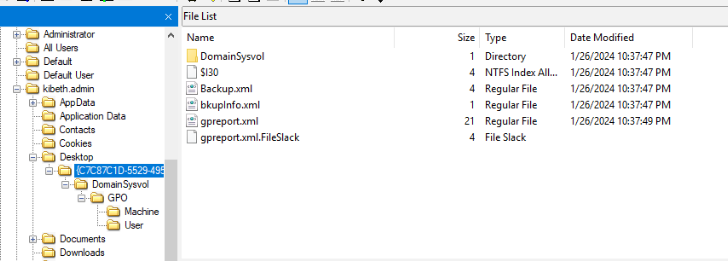
First thing I found is user "krbeth.admin" has group policy backup and report on his desktop and luckily for us that we could use these files to answer Q1 and Q2
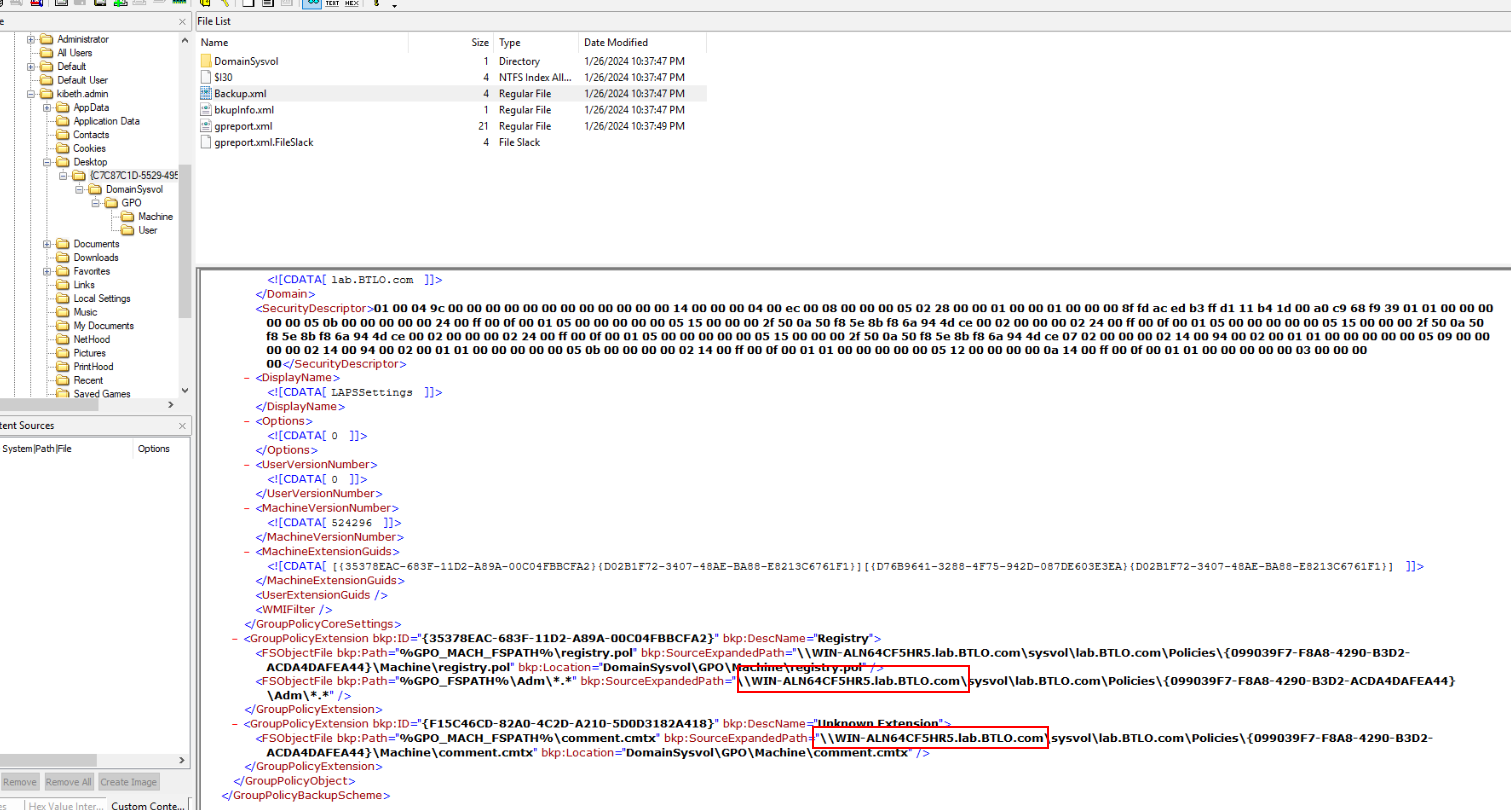
Pick one of them then you should be able to obtain both Q1 and Q2 answers in this format.
Answer
WIN-ALN64CF5HR5Q2) What is the forest root domain name? (Format: prefix.name.suffix)
Answer
lab.btlo.comQ3) Name all the non-default Organizational Units (OUs) that a domain administrator created. List the OUs in alphabetical order (Format: name, name, ...)
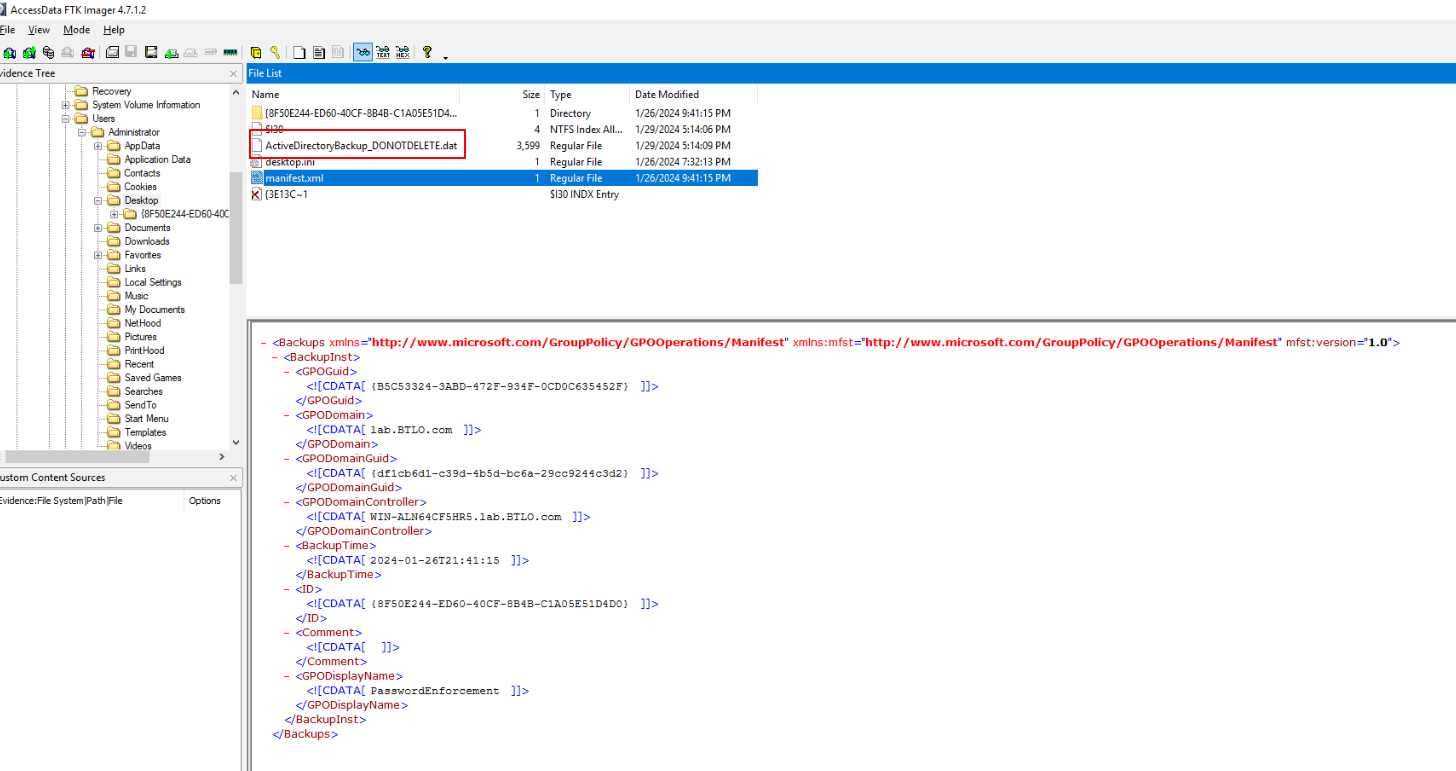
group policy report won't get us OU so I moved to "Administrator" which I finally found AD Snapshot that could be loaded with AD Explorer
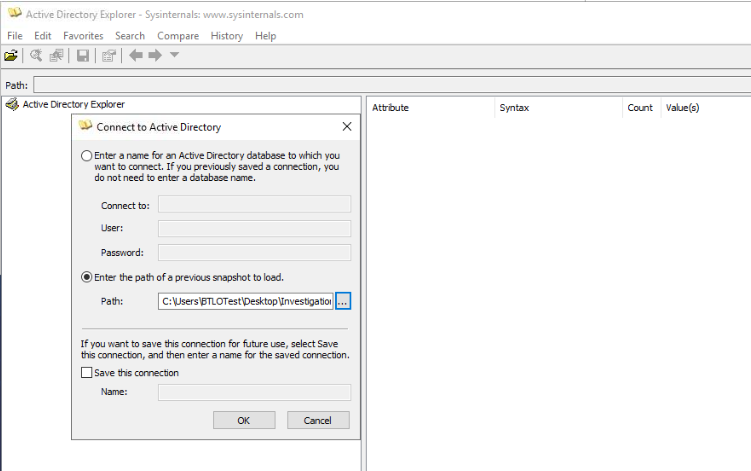
So lets export and load this in AD Explorer.
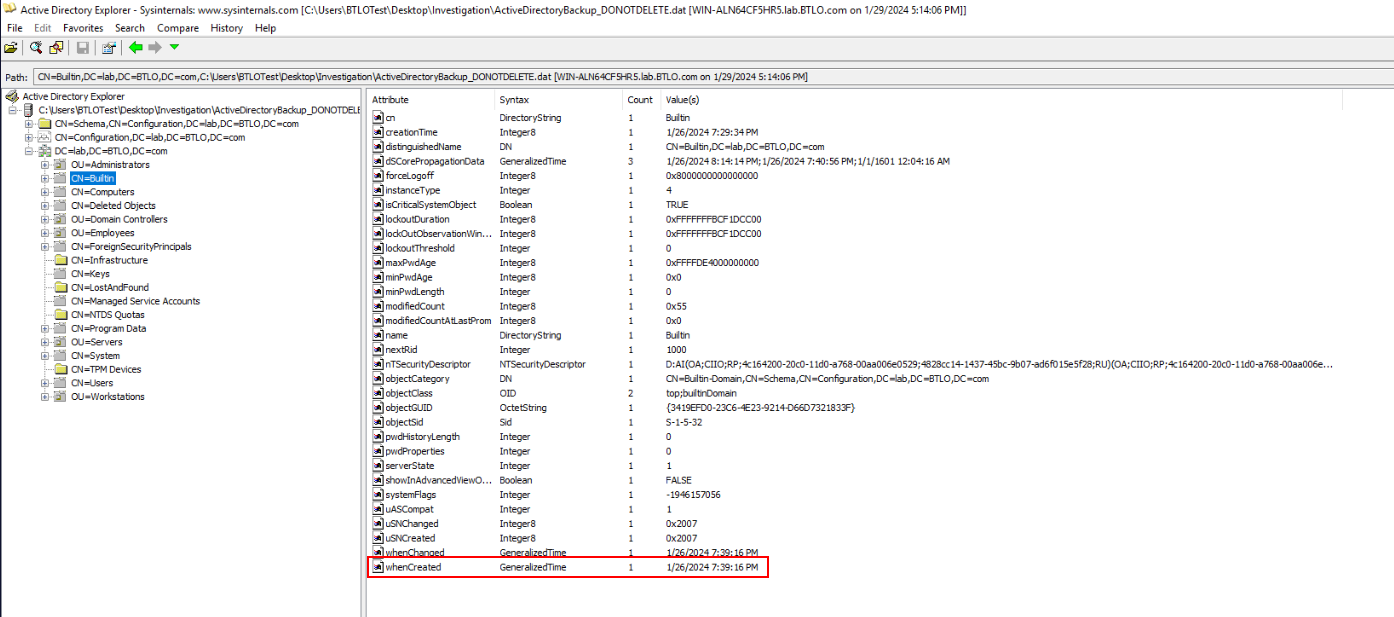
Then after we loaded AD Snapshot, we could expend "DC=lab,DC=BTLO,DC=com" domain component since this is only one we need to investigate and to identify which OU is not built-in OU, then we can take a look at built-in OU to find creation timestamp of this OU and that mean any OUs that is not has this timestamp are created OU.
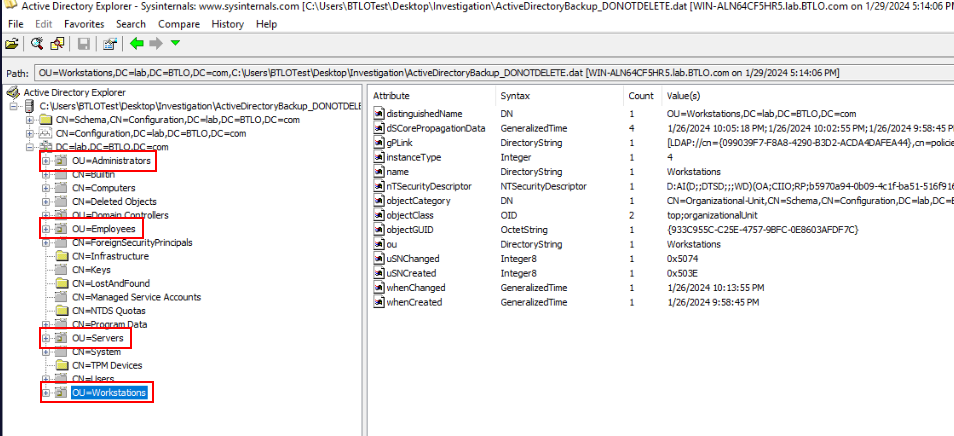
After taking a look at each OUs, we will have these 4 that were created by a domain administrator.
Answer
Administrators, Employees, Servers, WorkstationsQ4) Which Active Directory attribute contains a range of flags to define the properties of a user object? (Format: String)
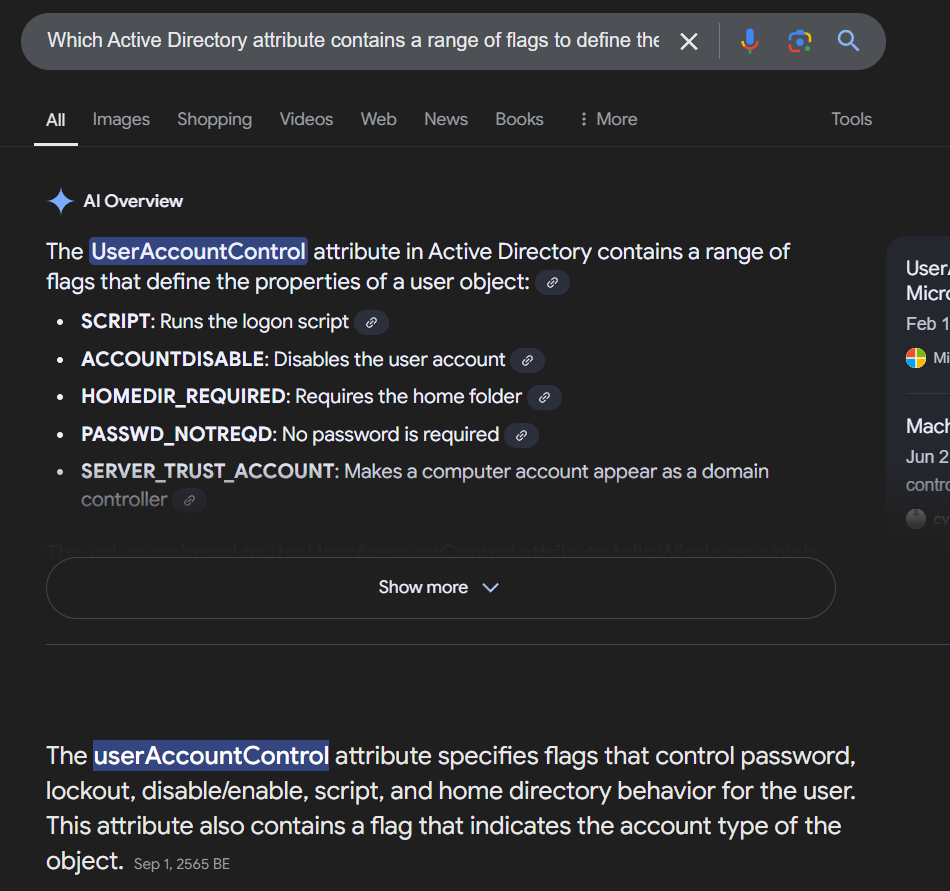
This attribute is "userAccountControl" and we need to use this Microsoft documentation for Q5 and Q6
Answer
userAccountControlQ5) Which employee has their password set to not expire, and what is the value (in hex) of the attribute that dictates this? (Format: displayName, 0xXXXXX)
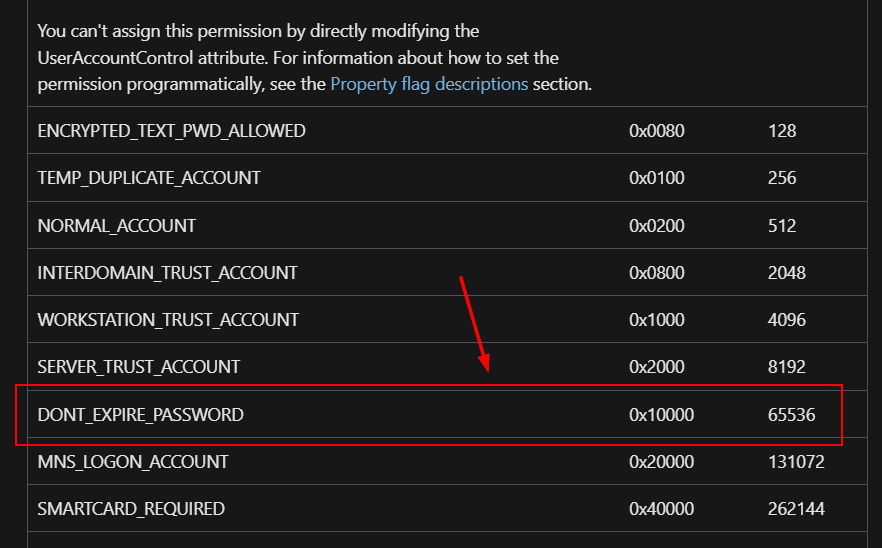
Read the Microsoft documentation then you can see that "userAccountControl" attribute has to have value over 65535 (in demical) for do not expire password.
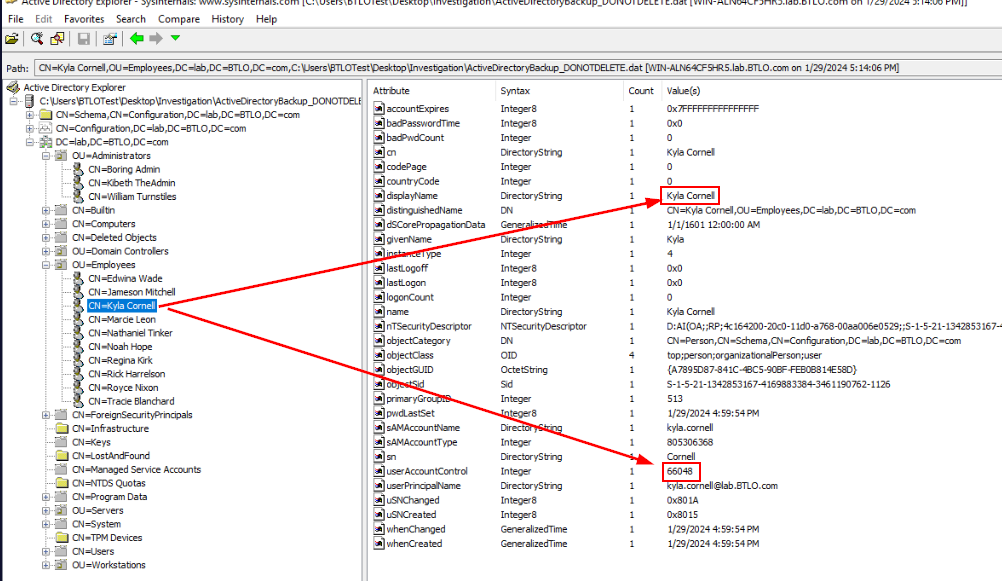
And the only user that have userAccountControl value over 65535 is Kyla which has 66048
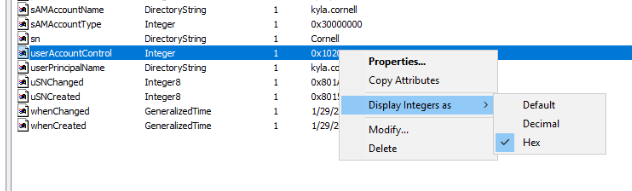
We don't have to calculate demical to hex since AD explorer can display these value in hex.
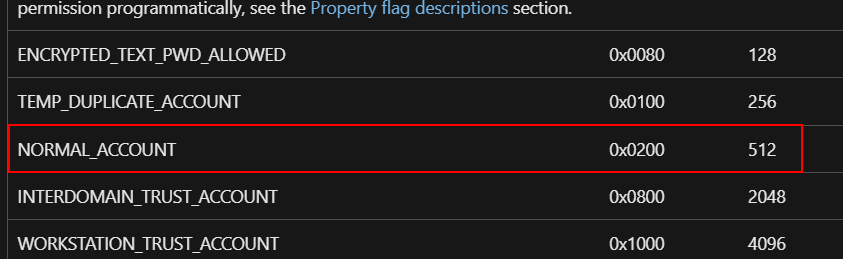
For those who have a question why 0x10200? because Kyla user is a normal account so this CN already have 0x0200 since created then when we added 0x10000 for password never expire then it would sum up to 0x10200
Answer
Kyla Cornell, 0x10200Q6) Which user has their account disabled, and what is the value (in hex) of the attribute that dictates this? (Format: displayName, 0xXXX)
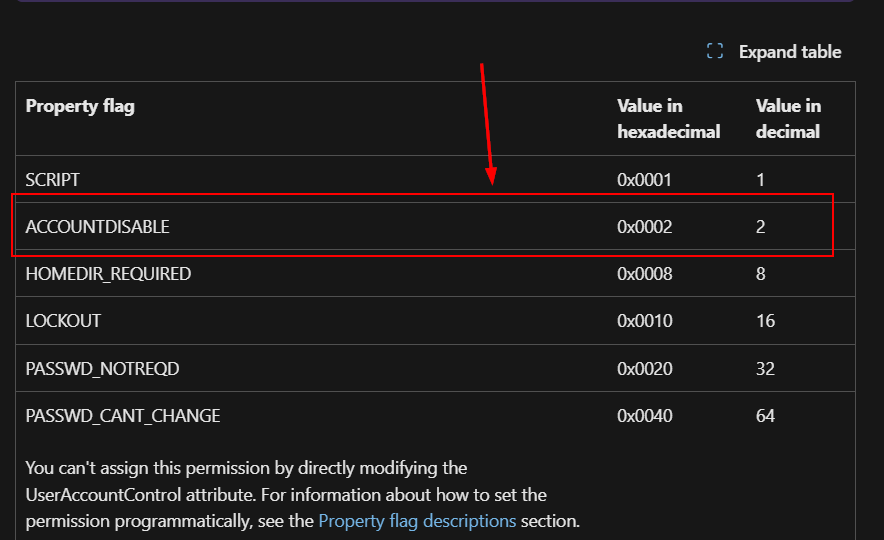
Take a look at the documentation again then we will have to add 0x0002 to 0x00200 which will make 0x202 so the user with this userAccountControl is the one we are looking for
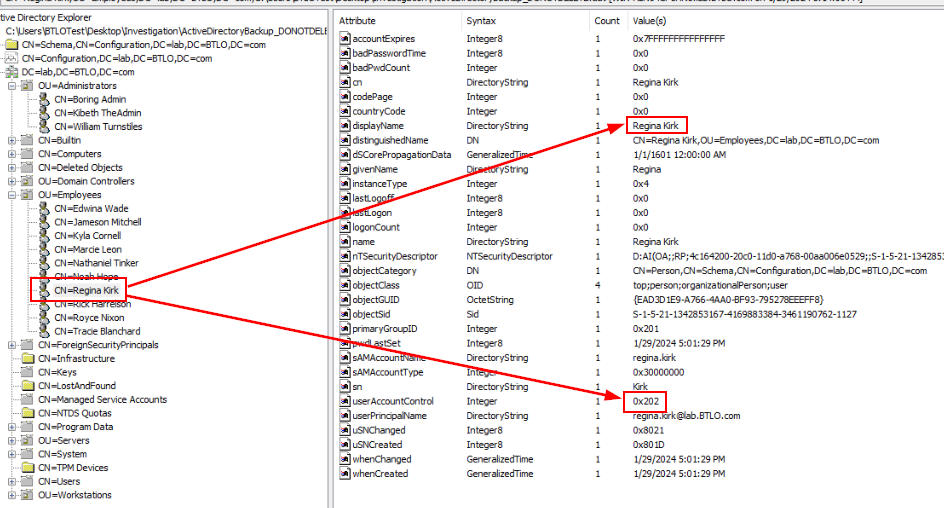
There you go!
Answer
Regina Kirk, 0x202Q7) What is the Common Name of the user whose username does not match the convention firstname.lastname? (Format: Full Name)
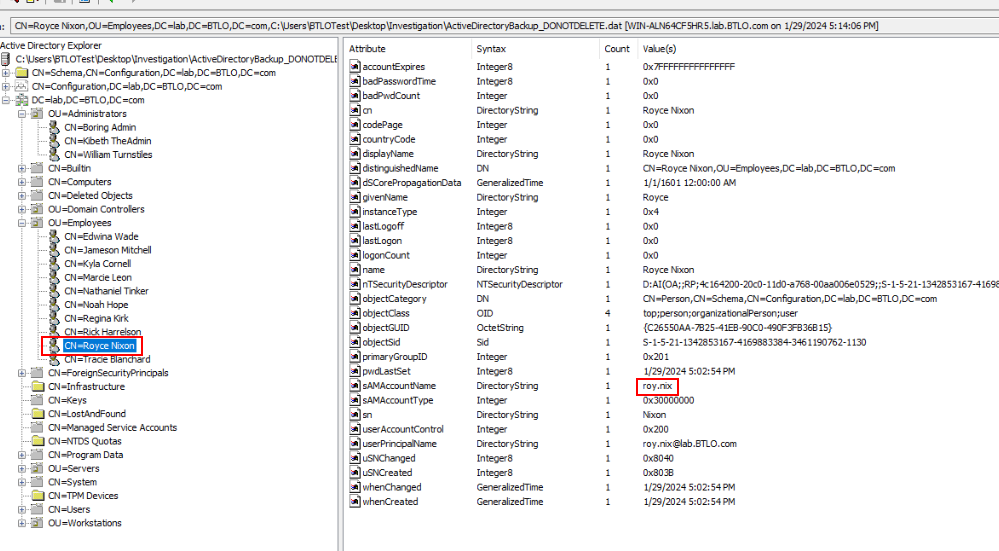
We already got the naming convention of this company which is fullname.lastname@lab.BTLO.com and the only user that does not match this is Royce which did not use full lastname.
Answer
Royce NixonQ8) What are the Display Names of the two Group Policy Objects (GPOs) that were created by a domain administrator? List the GPOs in alphabetical order (Format: displayName1, displayName2)
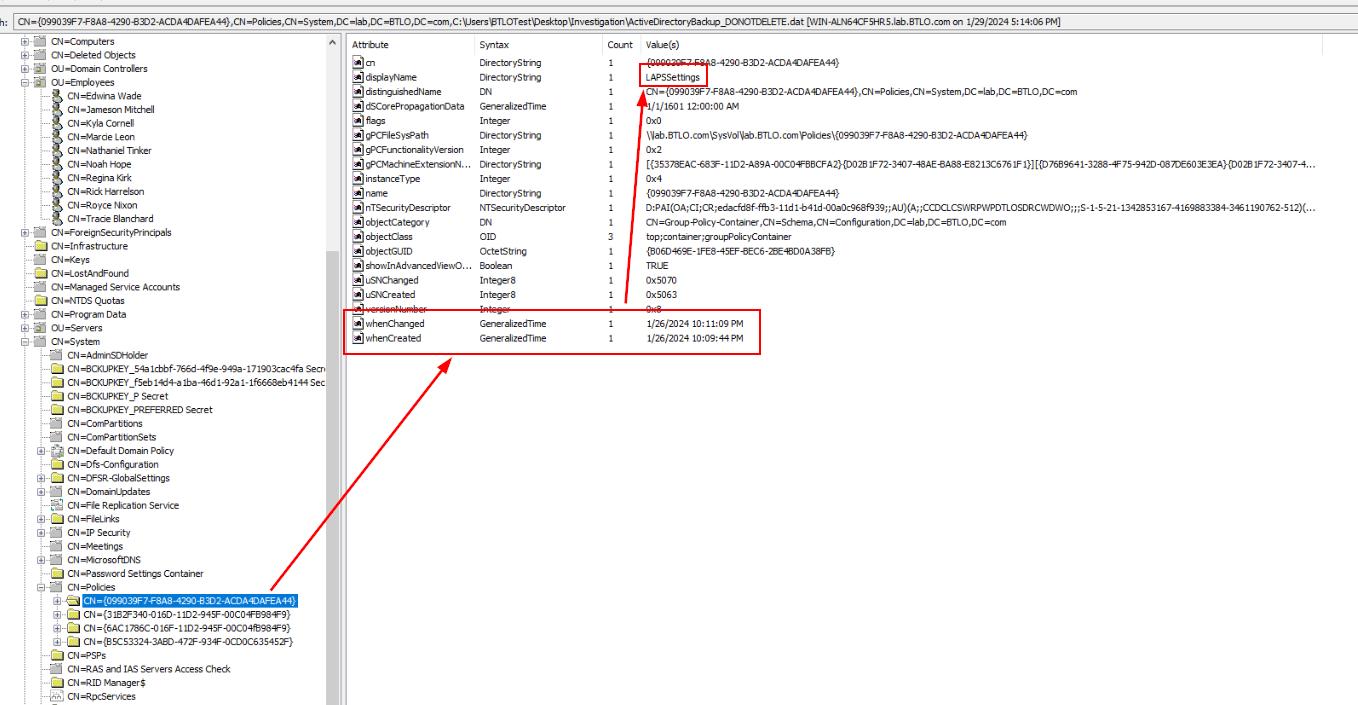
For this one, we have to expend "CN=System" and "CN=Policies" which we will find 2 familiar CNs that we found in "Administrator" and "krbeth.admin" Desktop so lets get names of these policies and move to the next question.
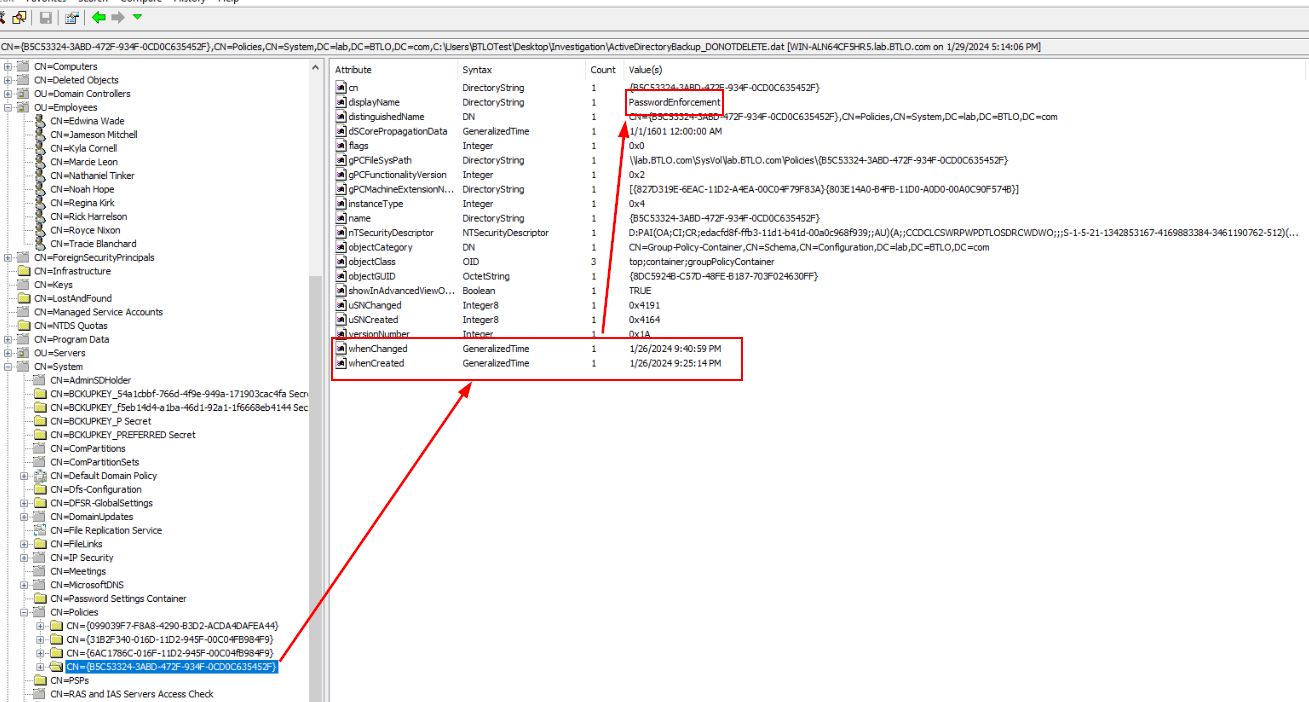
Answer
LAPSSettings, PasswordEnforcementQ9) What are the names of the policy settings being enabled in the first GPO? (Format: rule1, rule2, rule3)
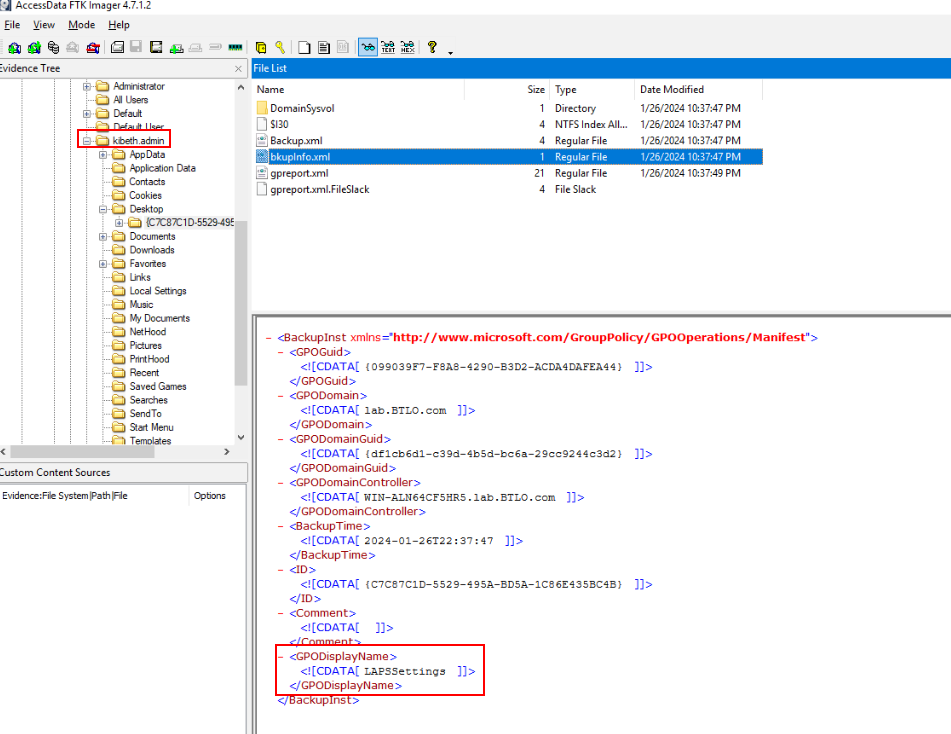
Lets go back to FTK Imager then we could see that "krbeth.admin" is the one created "LAPSSettings" policy.
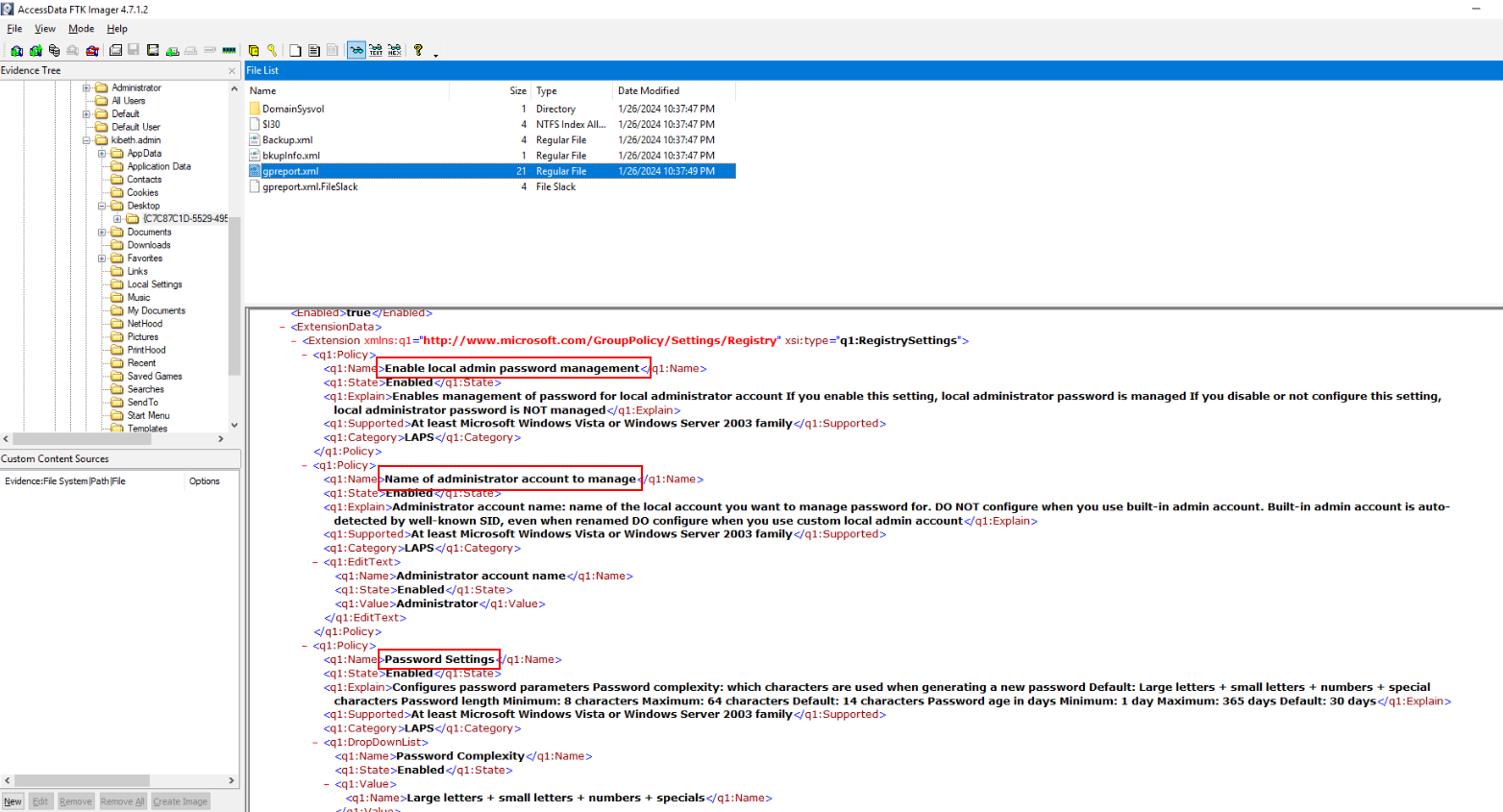
Next, we will have to read the content of gpreport.xml to get all 3 rules on this policy.
Answer
Enable local admin password management, Name of administrator account to manage, Password SettingsQ10) What are the Maximum Password Age, Minimum Password Age, Minimum Password Length, and Password History Size in the second GPO? (Format: value1, value2, value3, value4)
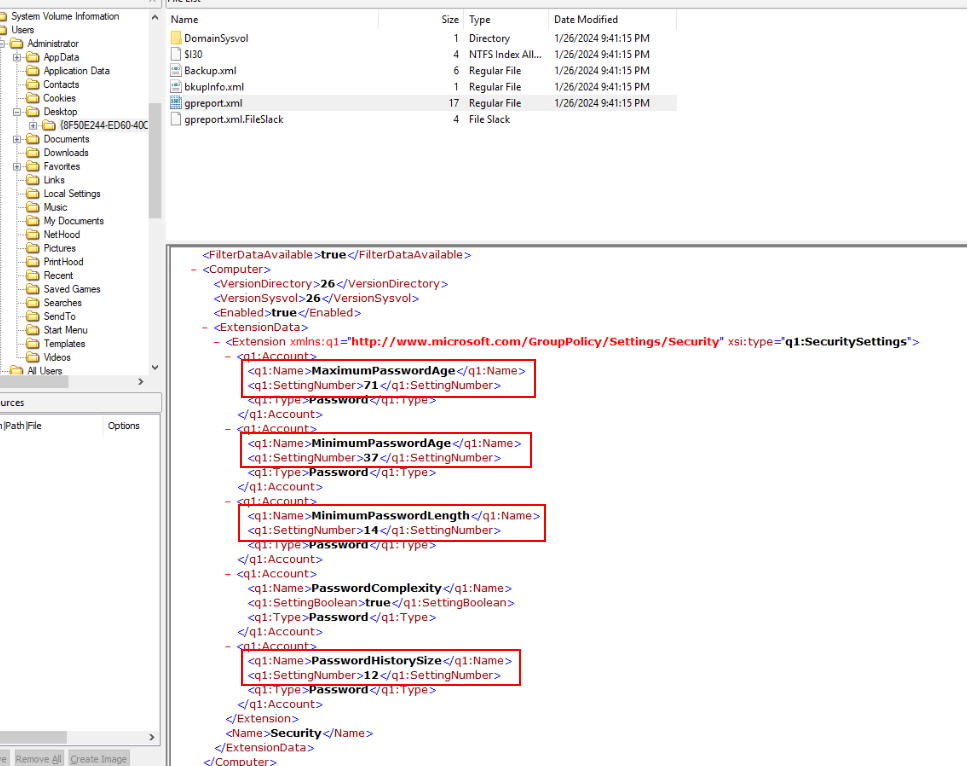
Its time for "Administrator"'s' policy, read gpreport.xml of this policy to get the answer of this question.
Answer
71, 37, 14, 12Q11) What is the name of the Microsoft program that allows for regular rotation of local administrator passwords? (Format: XXXX)
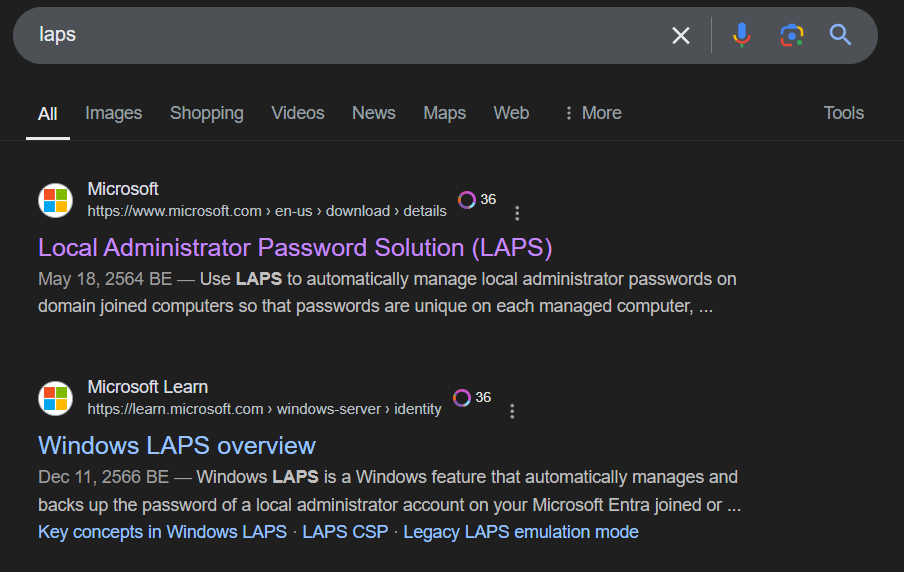
Microsoft has a feature that can manage local administrator password which is called LAPS or Local Administrator Password Solution.
Answer
LAPSQ12) What is the name of the Allowed Principals whose members are allowed to view the passwords from the previous question? (Format: String)
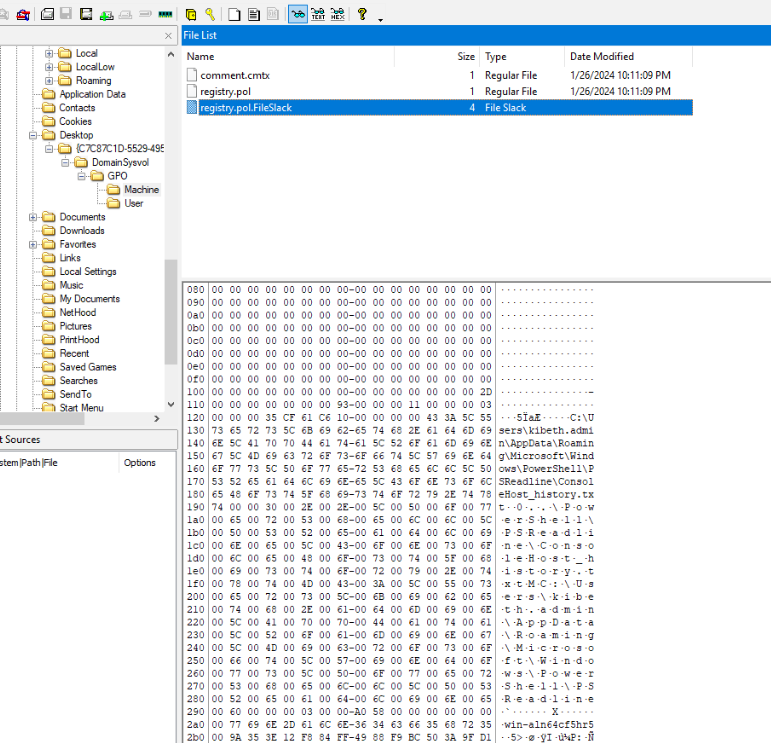
I didn't find this on AD Explorer but on FTK imager which pointing at PowerShell command history of this user responsible for editing the policy.
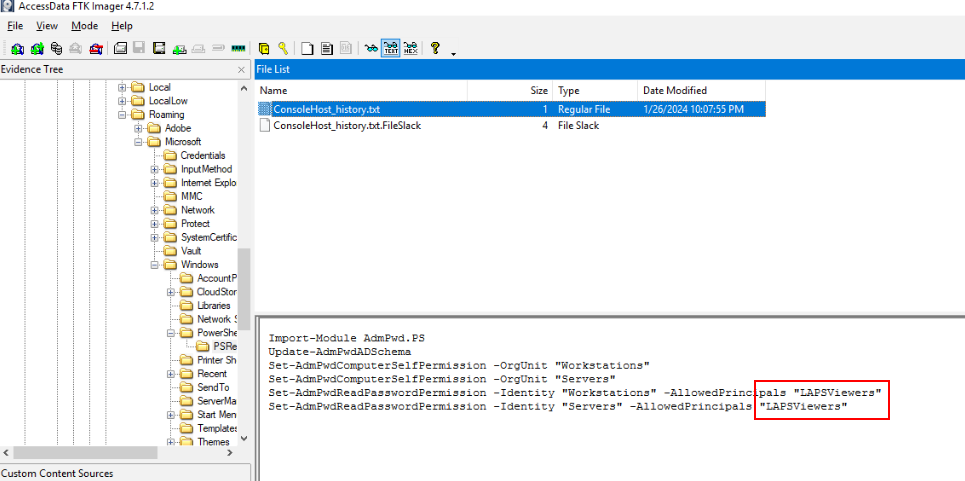
Then we will see that this user make "LAPSViewers" principals to view LAPS passwords from "Workstations" and "Servers" so we obtained this AD snapshot from "Administrator" which mean we could be able to view LAPS password from these 2 OUs too.
Answer
LAPSViewersQ13) What is the Common Name of the administrator who is not in the group from the previous question? (Format: Full Name)
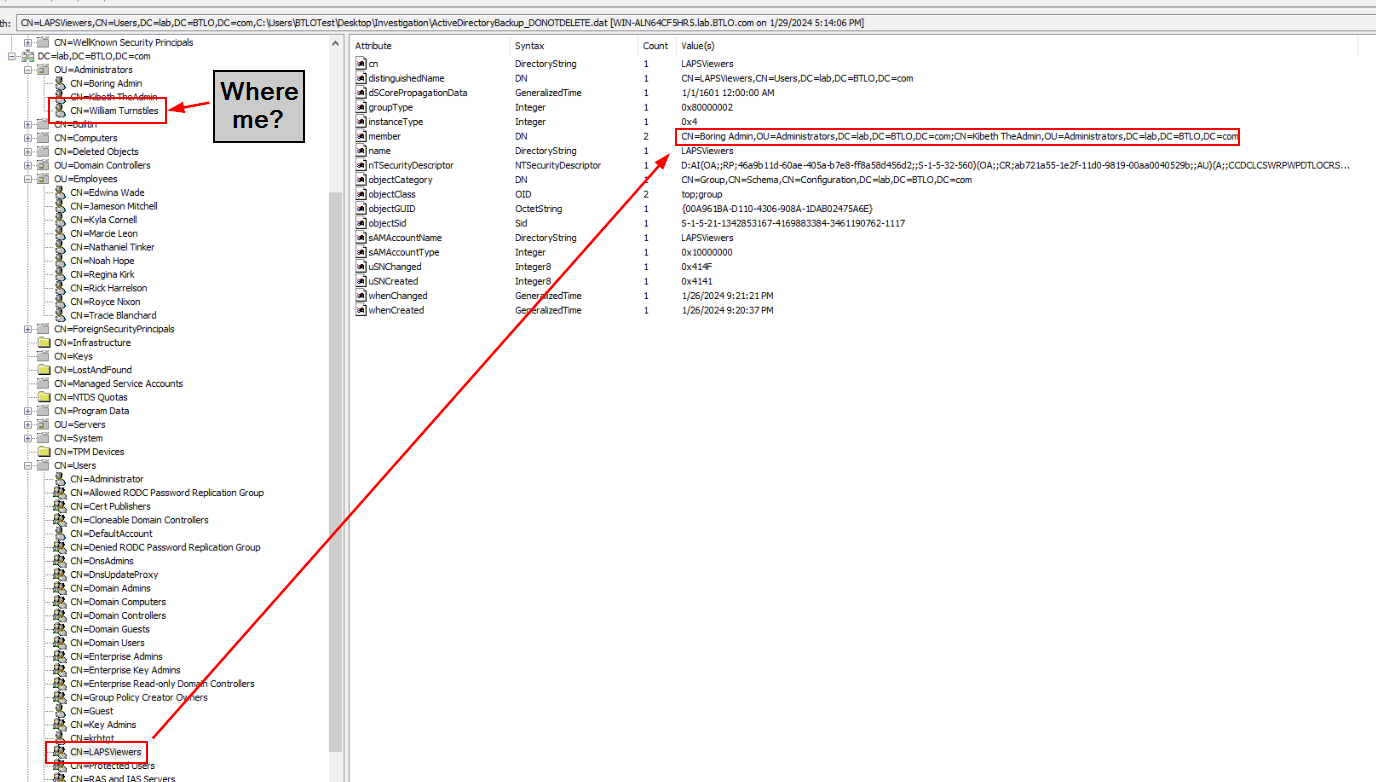
Take a look at LAPSViewers group right here then we should be able to see the only administrator that is not in this group.
Answer
William TurnstilesQ14) What account and group did the administrator from the previous question determine are the Extended Rights Holders for the Workstations OU? (Format: account, group1, group2)
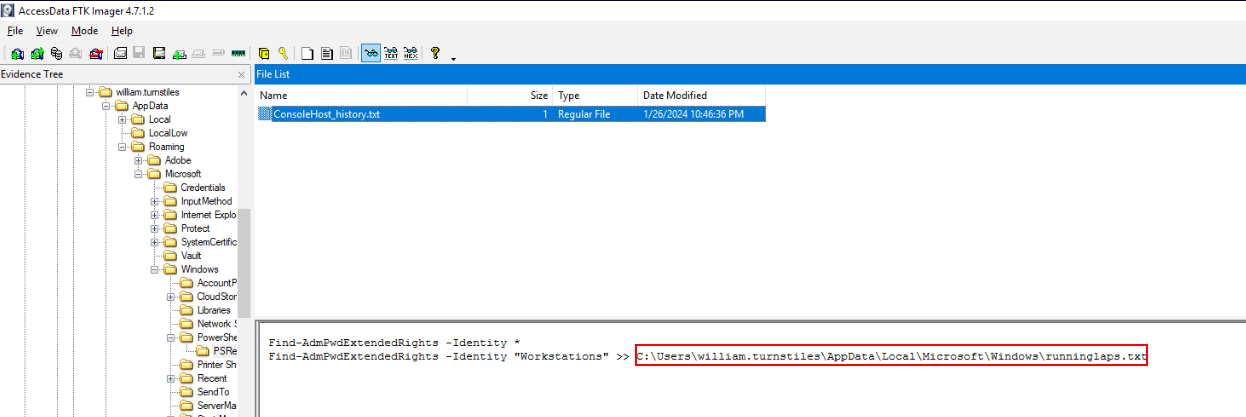
I went back to FTK Imager and found PowerShell history command which indicated that this user piped his Extended Rights Holders for Workstations OU to a file right here.
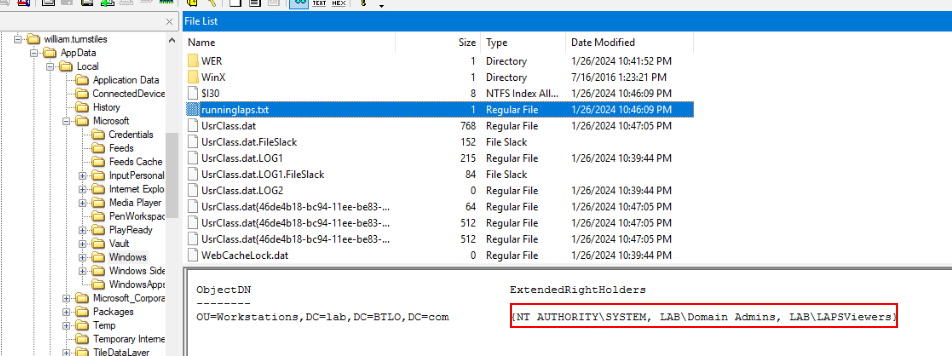
Read content of that file to get the answer of this question.
Answer
NT AUTHORITY\SYSTEM, LAB\Domain Admins, LAB\LAPSViewersQ15) What are the local administrator passwords for the company’s workstations? (Format: password1, password2)
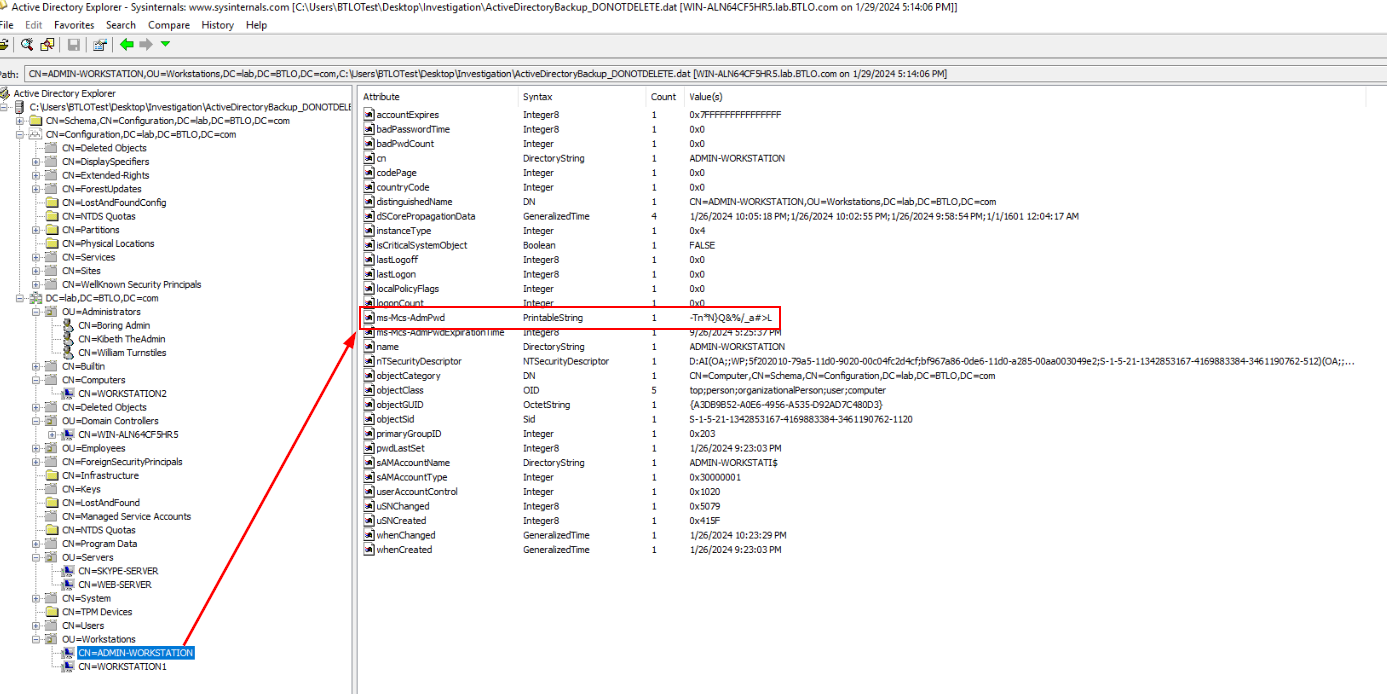
We already know that we could view LAPS passwords of Workstations and Servers OUs so lets grab them.
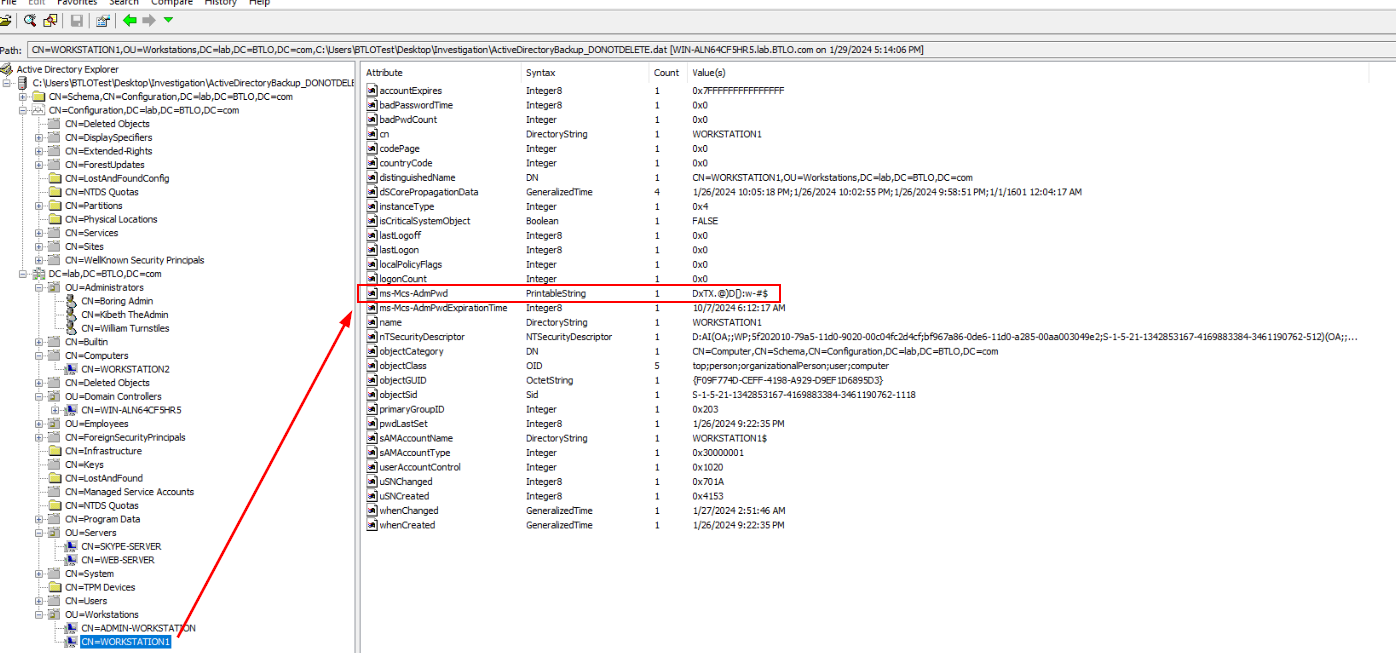
Answer
-Tn*N}Q&%/_a#>L, DxTX.@)D[):w-#$Q16) LAPS does not store a password’s expiration time in a normal date format. Looking at the company’s servers, what are the first six digits of the default timestamp LAPS uses to show when these local administrator passwords will expire? (Format: XXXXXX)
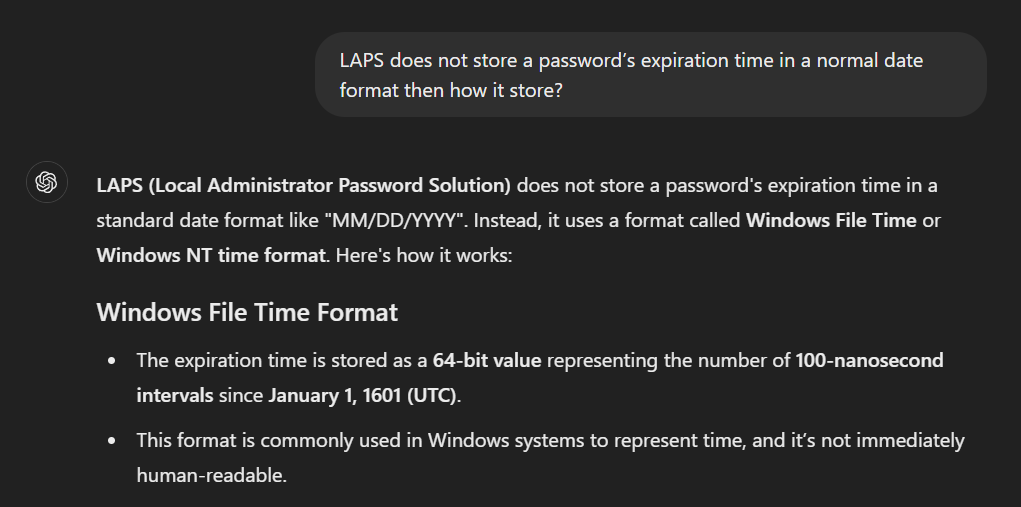
For this one, I asked ChatGPT for help since AD Explorer does not show File Time Format.
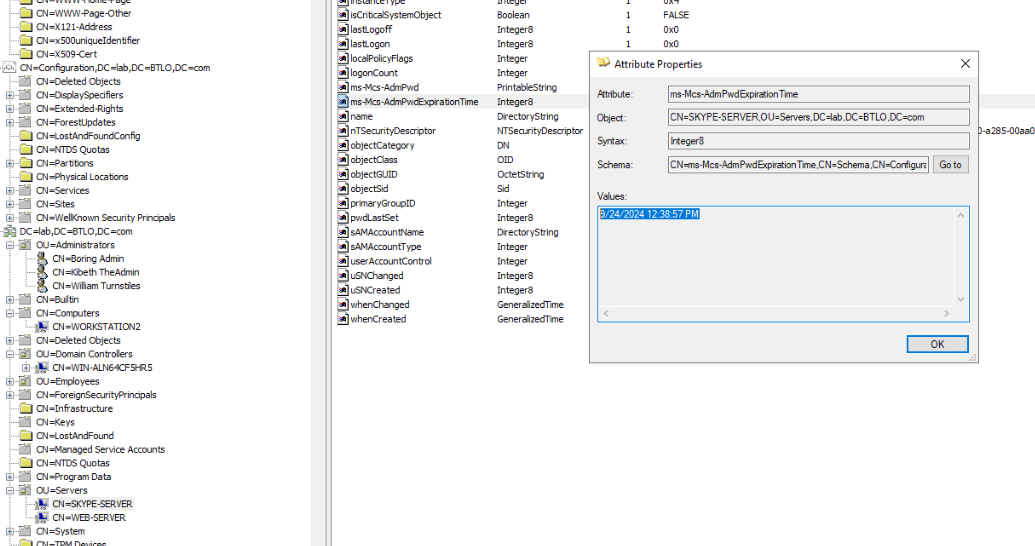
So lets grab this timestamp.
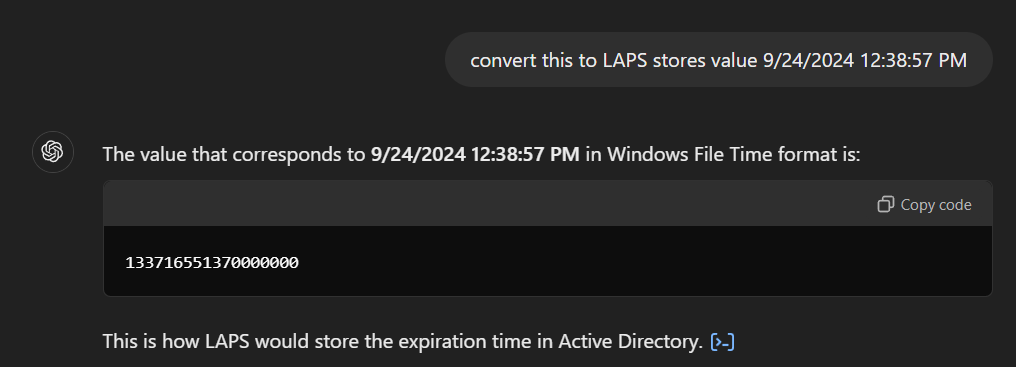
And convert it to Windows File Time and copy first 6 digits to answer this question.
Answer
133716 https://blueteamlabs.online/achievement/share/52929/192